Introducing Astral v8.20: Over-the-Air Firmware Updates, Multiple Astral Outpost Network Support, Frequency Exclusions, and Major Web App Improvements.
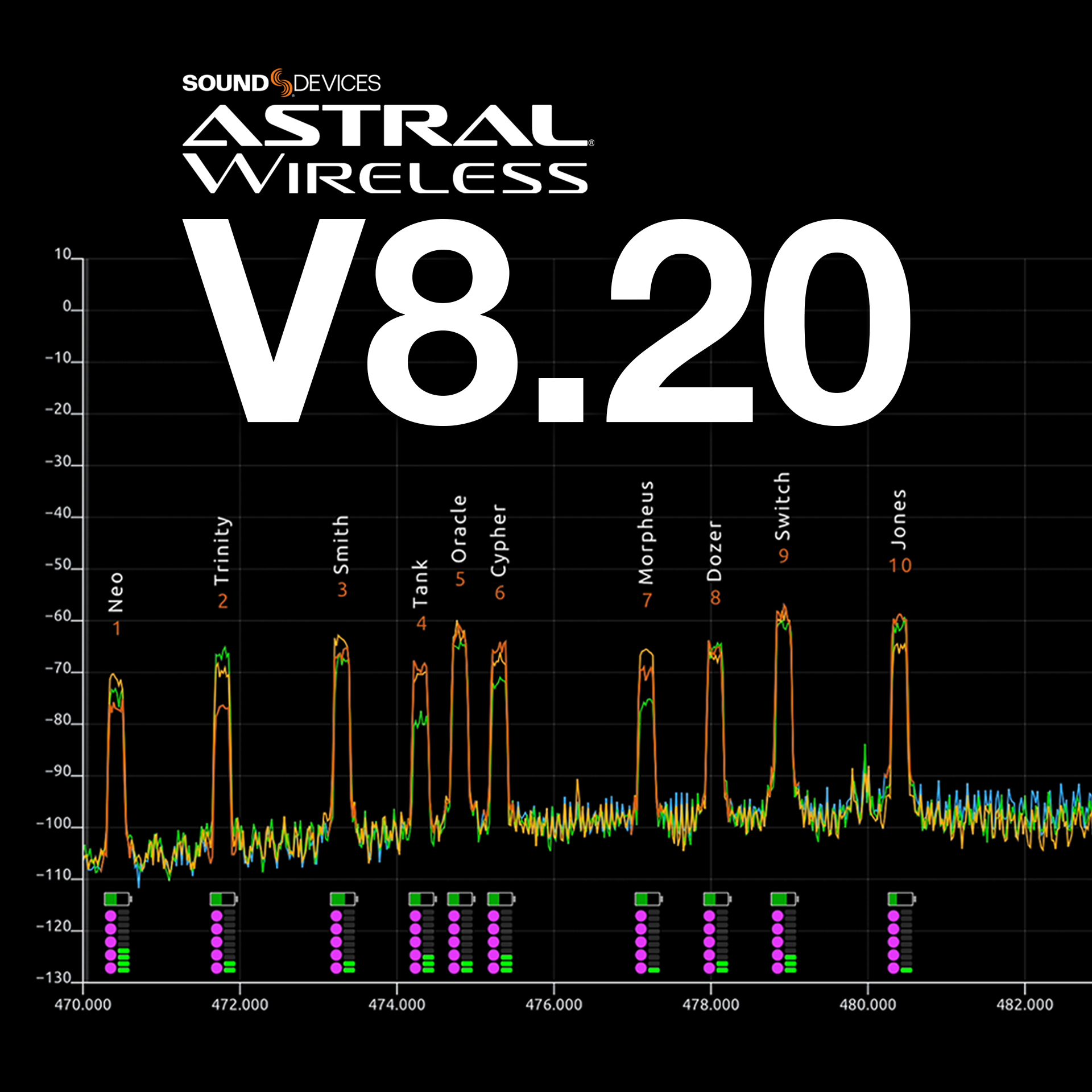
Astral v8.20 introduces the most impactful and expansive feature set ever released for the Astral Wireless Products, it brings support for the use of multiple NexLink antenna locations via Astral Outpost network, enabling expanded NexLink coverage.
This update also introduces a new over-the-air firmware update feature, frequency exclusion regions, our patent-pending TV-Channel Finder, a whip antenna length tool, and a wide range of web app usability improvements.
To download firmware v8.20, please click this link to the product download page.
Multiple Astral Outpost Network Support
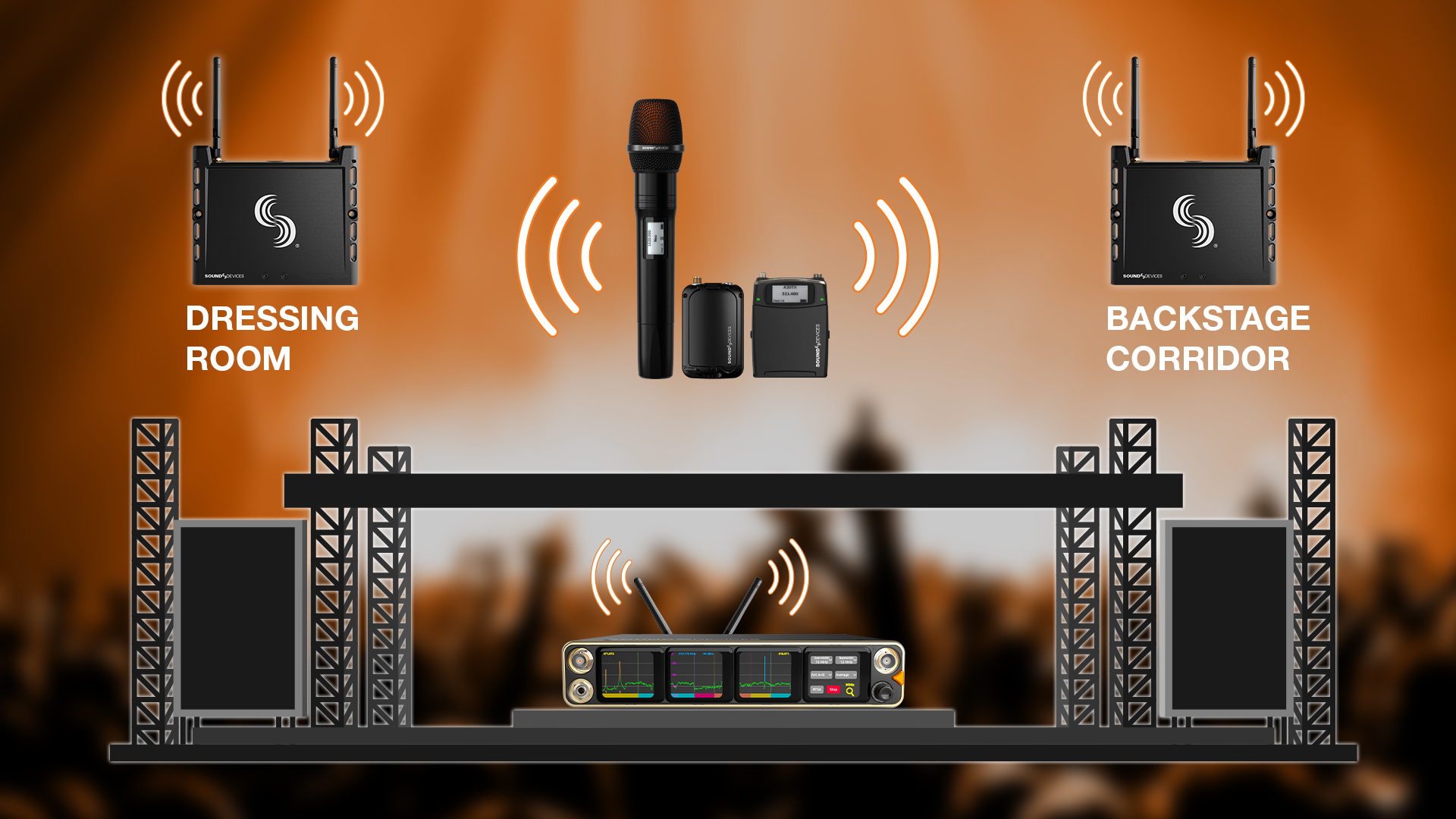
New in v8.20: The Astral ARX16 and ARX32 receivers now allow you to connect up to 8 Outposts for seamless command and control of your transmitters across extended NexLink coverage—from dressing rooms to the far end of the venue and everywhere in between.
TV Channel Finder
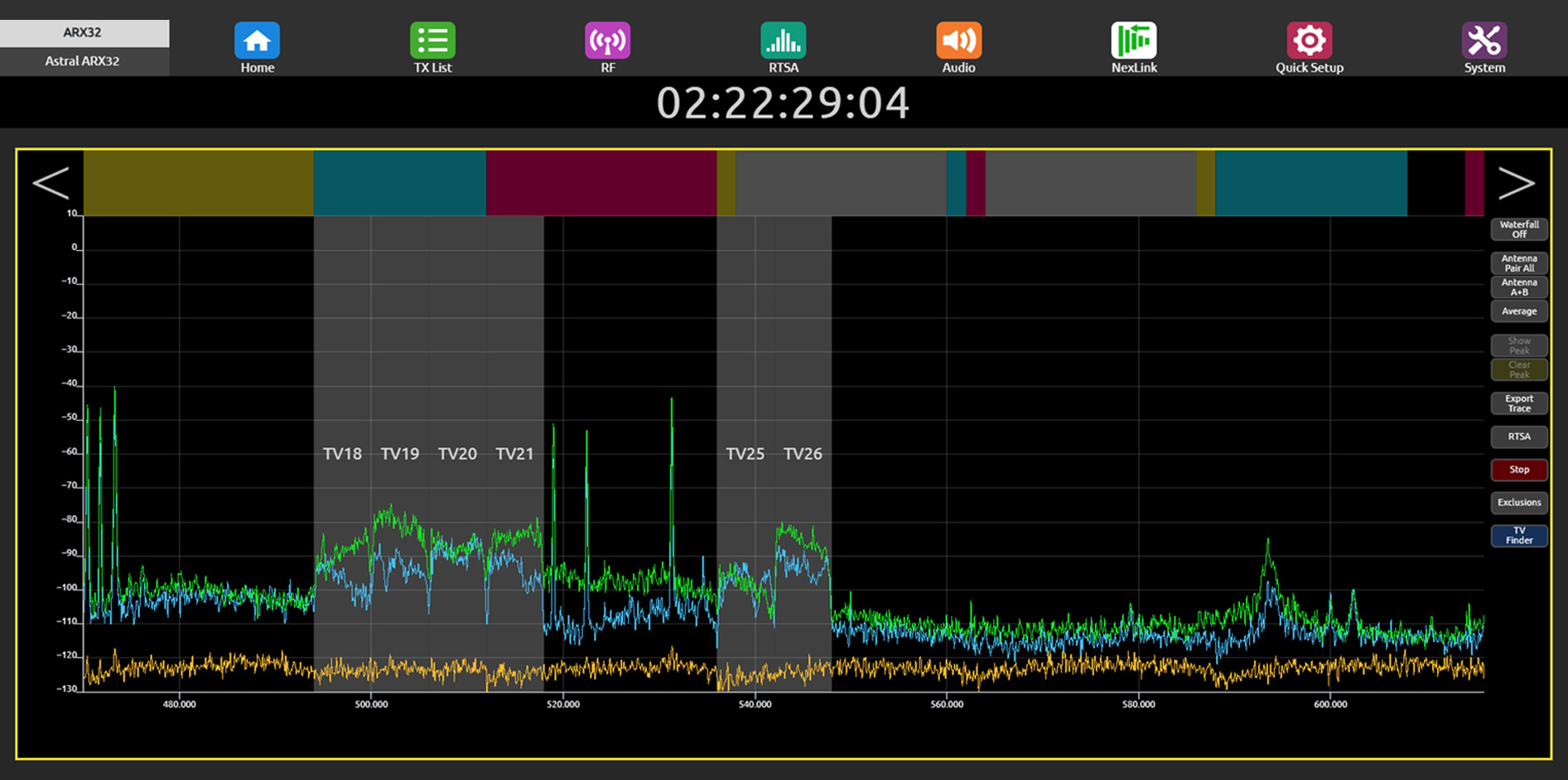
The new TV Channel Finder automatically detects and displays TV channels—gray regions with overlaid numbers—helping you avoid assigning frequencies within their 6, 7, or 8 MHz bandwidth.

Whip Antenna Length Menu
Introducing the Whip Antenna Length menu: select your frequency range, and your Astral Receiver instantly shows the exact length to cut—fast, accurate, and always on hand in the field.
Web App: Updated RTSA
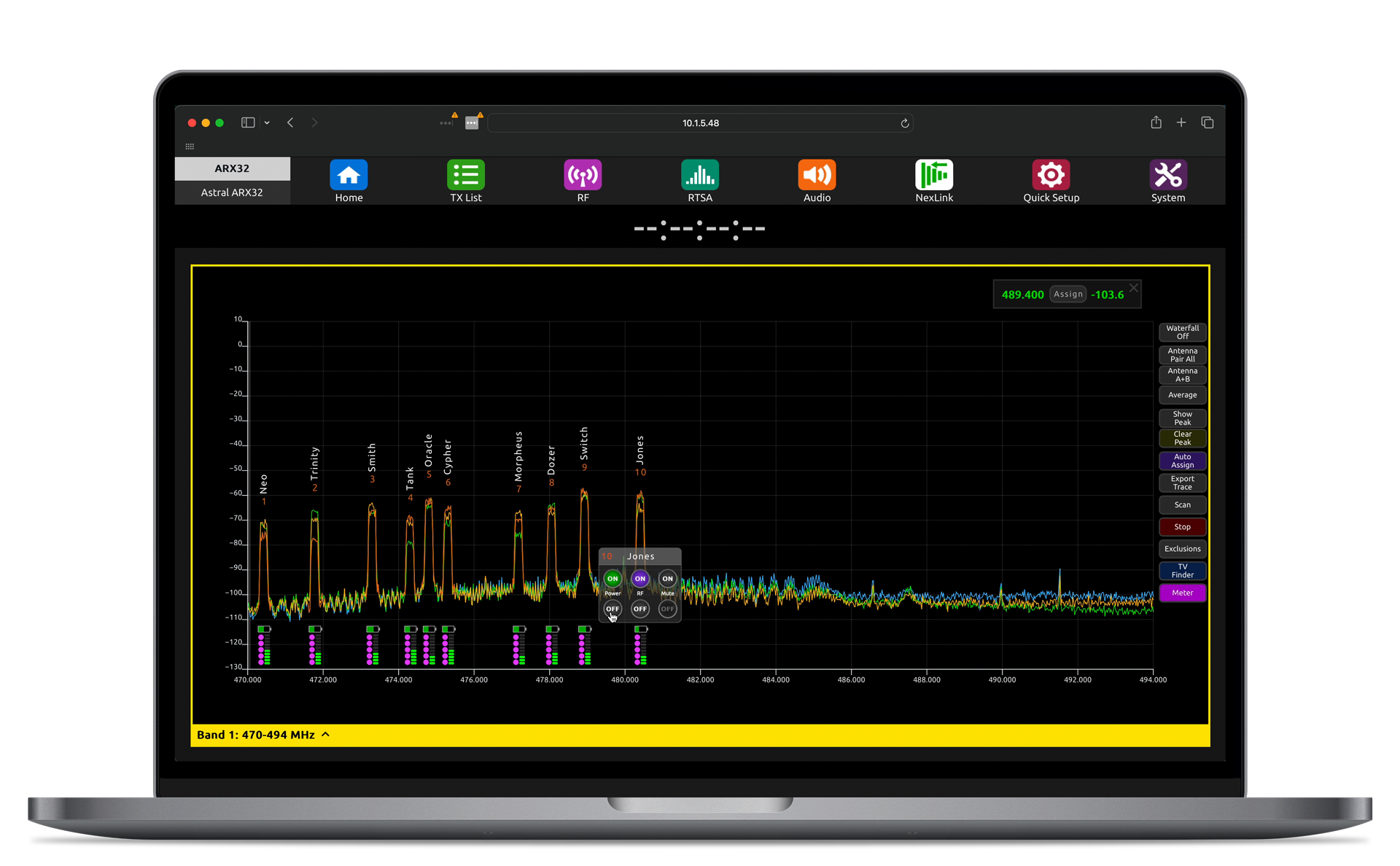
You can now see each receiver channel’s Q, and we’ve added our audio meters per channel—so you don’t have to jump between RX Views and the RTSA anymore.
Select a meter and a compact control panel automatically appears allowing you to toggle your transmitters’ Power, RF, and Mute all without leaving the RTSA view.
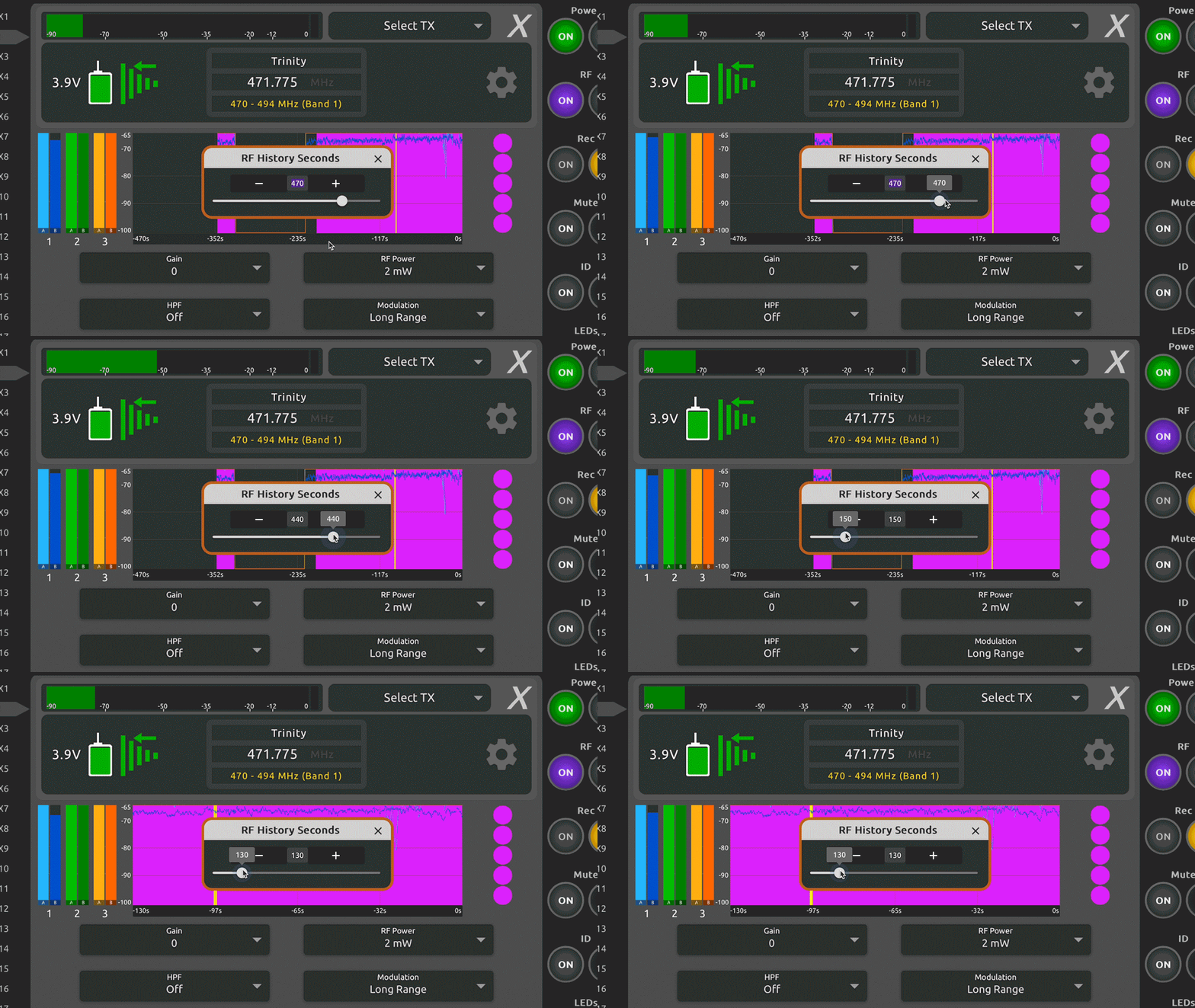
Web App: Receiver Channel View
The updated receiver channel view now includes RSSI level and duration scales in the RF History—click the duration scale to adjust it in real time—and clearer Antenna A and B labeling on the RSSI meter bars.
New in Firmware v8.20
Huge Web App Improvements:
- Added keyboard entry for channel frequencies
- Added new 1RX View ‘Select TX’ menu to manage multiple transmitters that are assigned to the same channel.
- Added ‘dBm’ and duration scales to the RF History plot in the 1RX View.
- Added duration shortcut in the duration scale of each 1RX View’s RF History plot.
- Added –70dBFS to audio meter scales.
- Added antenna A/B labeling to each antenna RSSI meter bar in 1RX Views.
- Improved RF > Antenna Mode map graphics.
- Added new 8RX row view in the Home tab.
- Improved expand (+) and collapse (-) RX channel row functionality in the Home tab.
- RTSA now shows transmitter names vertically to prevent names overlapping with neighboring transmitters.
- New RTSA Meters mode for displaying Q + Audio Meters. Roll mouse over the meters to display the compact TX control panel with Power, RF, and Mute On/Off buttons.
- More responsive audio and RF metering.
New Astral Outpost Features:
- Multiple, up to 8, Outposts can now simultaneously control and monitor Astral transmitters.
- Outposts can now wake up transmitters that have been powered off for > 4 hours.
- Added support for distributing timecode via NexLink.
New Features for Astral ARX Receivers:
ARX16 & ARX32
- Support for simultaneous NexLink communication via multiple Astral Outposts.
- Support for distributing timecode to transmitters via NexLink from Astral Outposts.
- New firmware update menu includes the ability to wirelessly update Astral transmitter firmware.
- Ability to abort wireless pairing and exit the TX List’s wireless pairing screen.
- Frequency Exclusion Regions – the ability to exclude specified frequency ranges from the AutoAssign and manual assign process.
- TV Channel Finder algorithm for detecting and displaying 6, 7, or 8 MHz TV channels in the RTSA and Scan Views.
- New Whip Antenna Length tool. Select a frequency range to display a real-size graphic to assist in cutting whip antennas to the correct length.
Astral ARX8
- New firmware update menu includes the ability to wirelessly update Astral transmitter firmware.
- Ability to abort wireless pairing and exit the TX List’s wireless pairing screen.
- Added Frequency Exclusion Regions – the ability to exclude specified frequency ranges from the AutoAssign and manual assign process.
- Added TV Channel Finder algorithm for detecting and displaying 6, 7, or 8 MHz TV channels in the RTSA and Scan Views.
- Added new Whip Antenna Length tool. Select a frequency range to display a real-size graphic to assist in cutting whip antennas to the correct length.
New Features for Astral Transmitters:
- Added the ability to wirelessly update Astral Mini, TX, and HH firmware from an Astral receiver.
Astral Remote Improvements:
- Added Group NexLink On/Off toggle switch.
- A20-TX Remote is now Astral Remote
Updates & Improvements in Firmware 8.20
Astral ARX16 & ARX32
- NexLink re-connection and stability improvements
- Improved audio performance at the edge of RF range and better interference resistance
- Main Menu icon color changes for consistency across all Astral Receivers and web apps.
- Astral TX or Astral HH transmitter control button option ‘GPIO’ has been changed to ‘Control’. The Control option can be used to trigger Macros or GPIOs.
- Accessing the Web App RTSA now goes directly to the last viewed band’s RTSA.
- RF History now runs in the background – it no longer resets when switching views.
- Fixed inaccurate RF History duration and accuracy.
- T&M modulation high-frequency phase drift no longer occurs.
- Normal + Peak Hold and Average + Peak Hold added to the RTSA Trace Type option list.
- Dante and Control network port MAC addresses are now displayed in the Network Menu.
- 1RX View > Audio Outs > Aux On/Off toggle can now override/disable the TX Aux On state.
- Default static IP is now different from the Astral ARX32 and Outpost.
- 75-ohm termination switch added to the Timecode menu. This applies to rear panel LTC/WCK BNC input.
- In RF Mirror mode, if the Secondary unit takes over control due to the Primary failing, it no longer switches back to the Primary when the Primary comes back online.
- Added option for the RF Mirror Secondary unit to use the Primary’s Outposts or its own local Outposts.
ARX8
- NexLink re-connection and stability improvements
- Improved audio performance at the edge of RF range and better interference resistance
- Main Menu icon color changes for consistency across all Astral Receivers and web apps.
- RF History now runs in the background – it no longer resets when switching views.
- Fixed inaccurate RF History duration and accuracy.
- T&M modulation high-frequency phase drift no longer occurs.
- Added missing Scan Width button to Scan view.
ARX2
- Receivers now report the correct TX battery level in long range mode
Astral Wireless Manuals
- PDF and online manuals have been updated to reflect the changes listed above.
- These can be found on the product download pages.