Search Articles
Product Series Filter
Articles

Astral Wireless v8.40: Faster, More Flexible, More Reliable
Astral 8.40 is now available, introducing a range of workflow, control, monitoring, and reliability enhancements across the Astral Wireless ecosystem. This release delivers faster receiver startup times, expanded Quick Setup memory, enhanced monitoring capabilities, improved system control, and a number of reliability improvements designed to streamline operation in demanding production environments. To download firmware v8.40, […]
Read The Full Article
Introducing Astral v8.30:
Astral v8.30 adds new workflow-driven features that help engineers adjust settings quickly, keep devices organized, and stay focused on the mix. This update introduces integration with SoundBase, expands flexible routing to three aux output paths, and adds a new headphone solo routing option for ARX16 and ARX32 receivers. To download firmware v8.30, please click this link to the product […]
Read The Full Article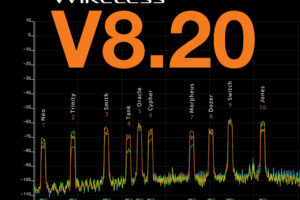
Introducing Astral v8.20: Over-the-Air Firmware Updates, Multiple Astral Outpost Network Support, Frequency Exclusions, and Major Web App Improvements.
Astral v8.20 introduces the most impactful and expansive feature set ever released for the Astral Wireless Products, it brings support for the use of multiple NexLink antenna locations via Astral Outpost network, enabling expanded NexLink coverage. This update also introduces a new over-the-air firmware update feature, frequency exclusion regions, our patent-pending TV-Channel Finder, a whip […]
Read The Full Article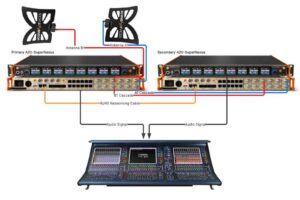
Sound Devices Astral ARX16 & Sound Devices Astral ARX32 Mirror Mode
Download PDF Instructions RRF Mirror Mode allows a second Astral ARX16 or Astral ARX32 unit to mirror the RF and NexLink settings of a primary ARX16 or ARX32 such that if the primary unit fails or loses power, the secondary (‘Backup’) unit continues to receive and output audio seamlessly as well as taking over NexLink […]
Read The Full Article
Introducing Astral v8.10 with groundbreaking AstralComm feature along with many updates and performance improvements.
With the release of firmware version 8.10, firmware revision numbers will now be aligned across all Astral Wireless products. The 8.10 firmware brings significant RF performance improvements, including enhanced RF sensitivity and improved RF demodulation for better multipath and multi-antenna handling, read more below. To ensure optimal performance and compatibility, please update all Astral Wireless […]
Read The Full Article
Unboxing Astral TX transmitters for the first time
When the Astral TX transmitters are powered on for the first time, the screen displays the following message: “To start, pair the Astral TX with the Astral Remote iOS or Android app”. Pairing with the Astral Remote App (iOS or Android) enables full control of the Astral Series transmitters. Once paired, the message will not […]
Read The Full Article