Tag: MixPre-6 II
MixPre-6 II Specifications
Audio Inputs
Frequency Response
- 10 Hz to 80 kHz +/- 0.5 dB re 1 kHz @ 192 kHz sample rate
THD + Noise
- 0.005% max (@1 kHz, 22-22 kHz BW, gain=20 dB, -10 dBu in)
ADC
- 32 bit precision; 142 dB dynamic range min (A-weighted, gain=10 dB, fader=0 dB)
Equivalent Input Noise
- -130 dBV (-128 dBu) max (A-weighting, gain=76 dB, 150 ohm source impedance)
Inputs
- Mic: XLR active-balanced; 4k input
- Line: XLR active-balanced; 4k input
- Aux/Mic in: 3.5 mm TRS, 2-channel unbalanced; 2.2k
- Line: ¼-inch TRS active-balanced; 4k input
- USB Audio: 4 channels
- 6 Total analog inputs: 4 mic-line inputs, 2 on Aux In
- All inputs fully RF-filtered and overload protected.
Gain
- Mic input: +6 dB to +76 dB
- Line input: -20 dB to +30 dB
- Fader: -inf to +20 dB
- Headphone: -inf to +20 dB
- Total, Mic-to-recording (max): +96 dB
- Aux In (Mic): Gain = +10dB to +40 dB
- Aux In (Line): Gain = -10dB to +20 dB
- Total Aux Gain including Fader (Mic-to-recording): +60 dB
Maximum Input Level
- Mic XLR: +14 dBu (limiters on or off)
- Line XLR: +28 dBu (limiters on or off)
- Aux In (Mic): -10 dBu
- Aux In (Line): +10 dBu
Low Cut Filters
- 40 Hz to 160 Hz (adjustable), 18 dB/oct. First stage analog, subsequent stages digital.
Microphone Powering
- Mic XLRs: 48 V via 6.8k resistors, 10 mA each
- Mic 3.5 mm: 3 V @ 3k source
Limiters
- Limiter at all gain stages, range > 40 dB. First stage analog, subsequent stages digital. Adjustable Threshold, Ratio, and Release.
Audio Outputs
- DAC feeding Stereo Out, Headphone Out
- 32 bit precision; 115 dB dynamic range (A-weighted)
Stereo Out
- 3.5 mm TRS stereo unbalanced, 500 ohm output, +7.8 dBu max output level
Headphones Out
- 3.5 mm TRS stereo unbalanced, 300 mW + 300 mW, for use with any impedance headphones
USB
- Audio Interface (USB-C): 8-in/4-out; 44.1 to 96 kHz; 16/24/32-bit integer, 32-bit float; Class-compliant USB 2.0 high speed or ASIO® (supplied via download)
- Mass Storage (USB-C): USB 2.0 high speed
- Keyboard (USB-A): Text entry and control
- Thumbdrive (USB-A): Manual or auto-copy to drive
- Midi Control Surface (USB-A)
Recording
Maximum Record Tracks
- 8 Tracks: Stereo mix + 6 ISOs
Sampling Frequency
- 44.1 kHz
- 47.952 kHz
- 48 kHz
- 48.048 kHz
- 96 kHz
- 192 kHz
Bit Depth
- 16
- 24
- 32 Float
Recording Storage
- Type: SD, SDXC, SDHC Card (USB thumbdrive, copy only)
- Max Storage Size: 512 GB (SDXC)
- Card format: exFAT
File Type
- Polyphonic WAV
Timecode
Timecode Modes
- Free Run
- Time of Day (file stamped w/current ToD)
- Rec Run
- Ext LTC (file stamped w/incoming LTC on 3.5mm Aux In)
- Camera TC (file stamped w/incoming TC from cameras that output TC)
Timecode Frame Rates
- Auto-detects (fps):
- 23.98 (same as 23.976)
- 24
- 25
- 29.97DF
- 29.97ND
- 30
- 30DF
3.5 mm Aux In
- Timecode Input
- Timecode: 20k ohm impedance, 0.3 V – 3.0 V p-p (–17 dBu – +3 dBu)
3.5 mm Stereo Out
- Timecode Output
- Timecode: 1k ohm impedance, 3.0 V p-p (+12 dBu)
HDMI
- TC Reader via HDMI
Sample/Timecode Accuracy
- 0.2 ppm (0.5 frames per 24 hours)
Remote Control
- Bluetooth LE: Wireless control using Wingman app
- HDMI (micro): Auto-record start/stop trigger from cameras that output record flag over HDMI
- Timecode: Auto-record start/stop trigger via Aux In timecode
File Delivery to Cloud
- Compatible with Viviana Cloud
Touch Screen
- 320×256; 1.6-inch, color, sunlight-viewable IPS LCD
Power
- AA Batteries: 4x AA sled (included); 8x AA sled (optional accessory). NiMH recommended
- From computer: Bus-powered via USB-C port; optional MX-USBY cable, connects one USB-C to two USB-A ports
- AC Adapter: MX-PSU (included) Power supply wall adapter w/ USB-C connector; 15W; has 4 adapter plugs for US, UK, AU & Europe
- L-Mount: Optional sled for 2x (hot-swappable) Sony L-type Li-ion batteries
Environmental
- Operating: -20°C to 60°C, 0 to 90% relative humidity; (non-condensing)
- Storage: -40°C to 85°C
Dimensions (H x W x D)
- 3.6 cm x 16.6 cm x 11.8 cm
- 1.40” x 6.53” x 4.65”
Weight
- 0.56 kg (unpackaged, without batteries)
- 19.9 oz. (unpackaged, without batteries)
Splitting Timecode from a Camera


Ever wanted to send record start/stop triggers or timecode to your MixPre, or timecode to an external monitor, but your camera only has one HDMI output?
One word: splitters. HDMI splitters make it possible to send timecode from your DSLR or DSLR-like camera to a MixPre and external recording monitor at the same time. Production just became a whole lot simpler! HDMI splitters such as J-Tech and Gator are also quite affordable.
HDMI splitters vary in function, so confirm that yours maintains timecode before any critical shoots.
Example setup:
Sony A7III, Timecode set to Rec Run, HDMI timecode set to On.
Micro HDMI to HDMI cable running from the A7III to a Gator HDMI Splitter.
HDMI to Micro HDMI cable running from splitter to a MixPre-3 II, Timecode set to HDMI TC, Rec Trigger set to HDMI Flag.
HDMI to HDMI cable running from splitter to an Atomos Ninja Inferno, Trigger set to HDMI, On.


Products Mentioned
MixPre Firmware 7.10
Download v7.10
New
- Introducing front panel locks. Press channel knobs 1, 2, and 3 to enter the new Front Panel menu. Lock transport controls, touchscreen, channel knobs, and/or the headphone knob to avoid accidental changes or when you are leaving your MixPre unattended.
- Additional USB keyboard shortcuts:
- Ctrl + M = Add cue marker
- Ctrl + F = File transfer mode
- 9, 0 = Channel screens 9 and 10 on MixPre-10T and MixPre-10 II
- Ctrl + 1-0 = Toggle arm status of channels 1-10
- Option + 1-0 = Solo channels 1-10
- Ctrl + Option + 1-0: Mute channels 1-10
- 1 + 2 + 3 = Enters Front Panel menu
Change
- Holding down a key on a USB keyboard for >0.5s now repeats the command. This improves usability of keyboards for setting gain and other functions.
Fixed
- Elapsed time display is no longer missing from the home screen status bar of the MixPre-3, MixPre-3 II, MixPre-6, and MixPre-6 II.
Using Oversized AA Batteries in a MixPre
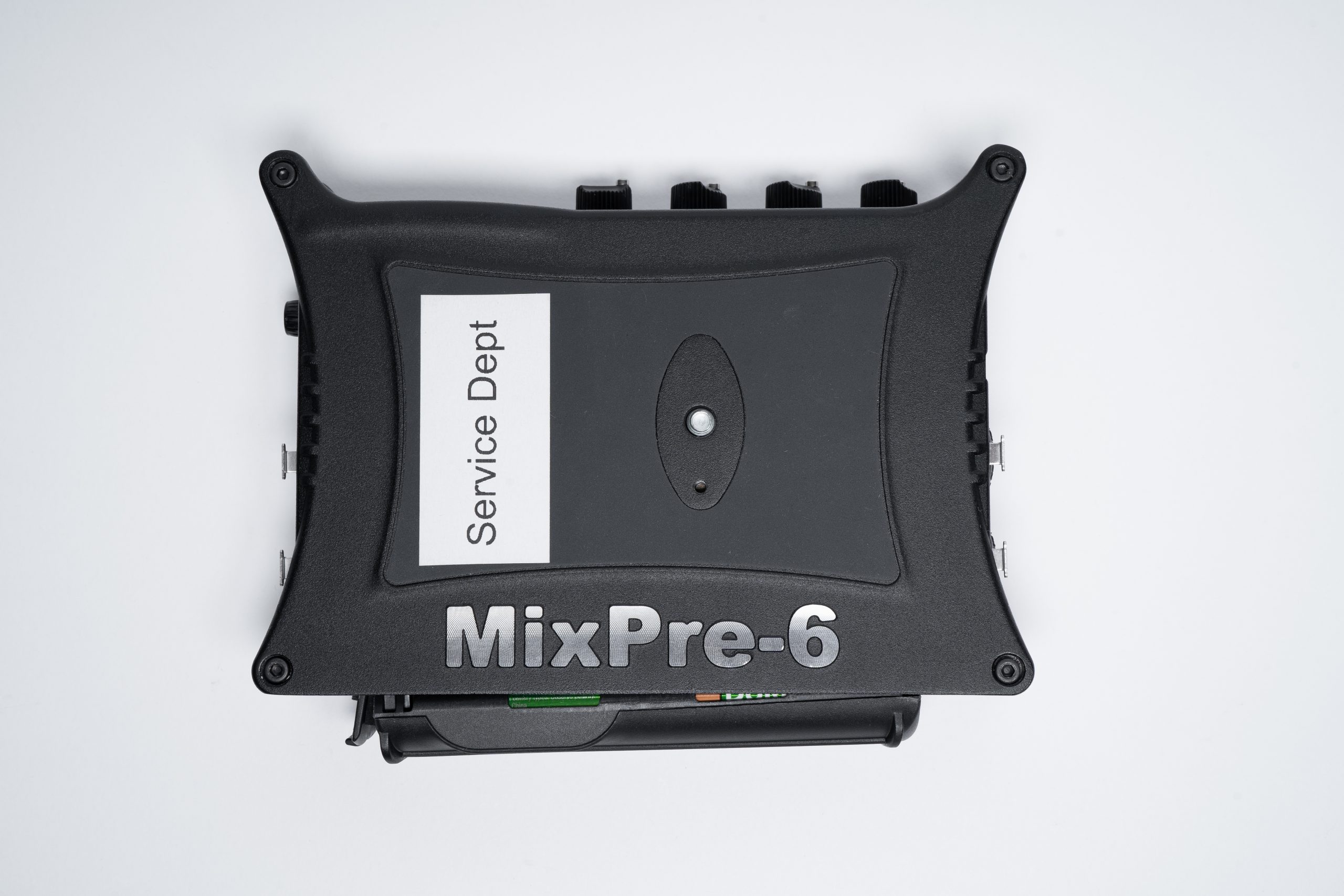

When using the MX-4AA or MX-8AA battery sleds with your MixPre, it is important to use standard-size AA batteries. There are AA batteries on the market that are larger than standard size. When these larger batteries are placed in the battery sled, the sled can no longer lie flush against the back of the MixPre. When this occurs, the MixPre and battery sled usually make a proper electrical connection, and this is merely a cosmetic issue. However, some users have reported that the MixPre will not power up with these oversized AA batteries. Others have reported that the MixPre powers down when the sled is forcibly pushed onto the back of the MixPre, and it will not power up until the battery sled is reseated.
Sound Devices recommends removing nonstandard AA batteries and replacing them with a standard size AA batteries.


Products Mentioned
NoiseAssist Simplified
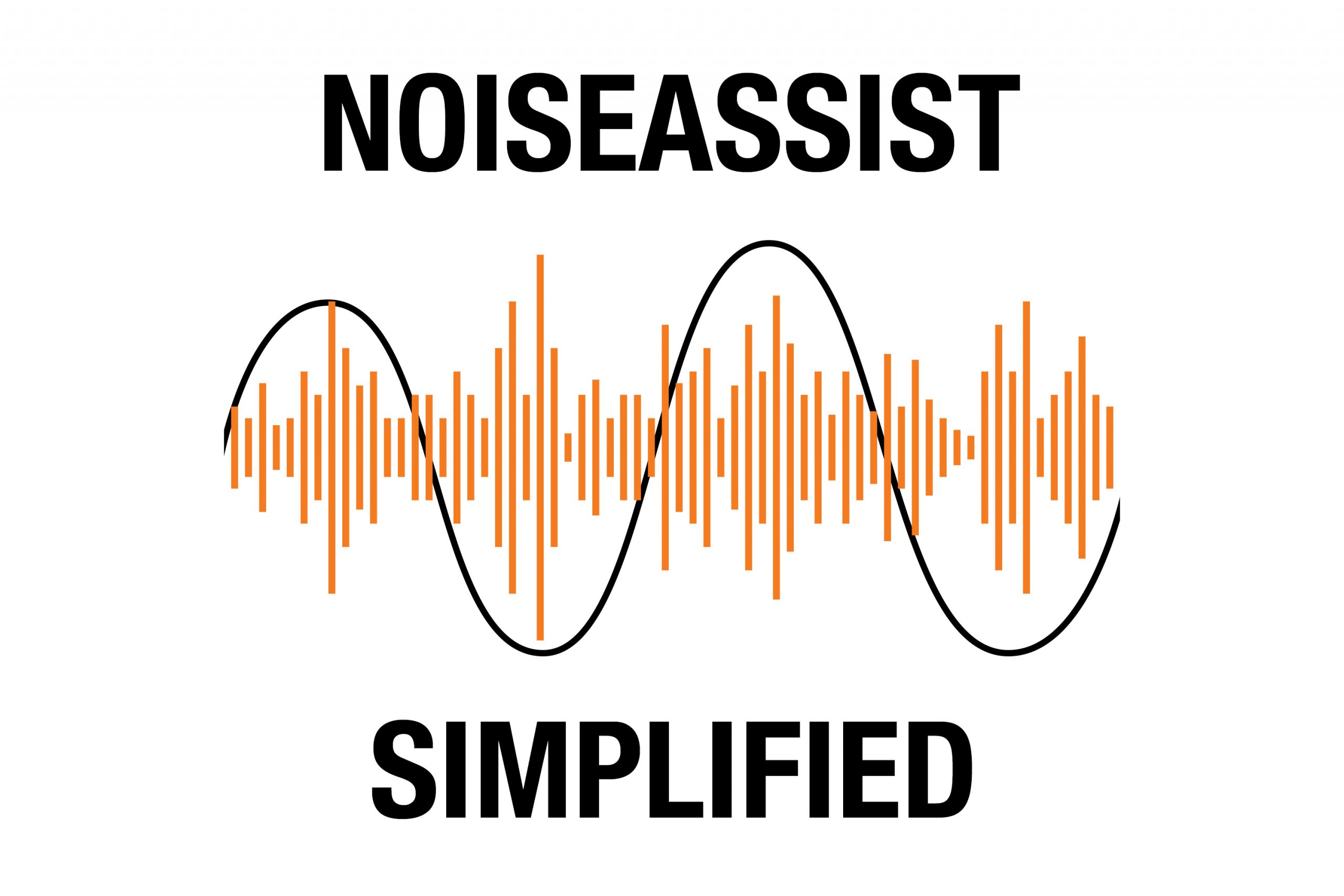
Ever wonder what’s going on behind the scenes when you use your NoiseAssist plugin for 8-Series or MixPre II Series? Let’s take a brief dive into the process of noise suppression. In this series of diagrams, the black sine wave represents the wanted dialog signal, and the orange lines represent the unwanted background noise.¹

Figure 1: This is an example of how an incoming signal from a microphone may look if it were viewed on an oscilloscope or in a DAW. The dialog and the noise are intermixed and the noise rides on top of the dialog waveform. This is how the unprocessed signal appears at the input stage of the NoiseAssist algorithm.

Figure 2: NoiseAssist separates the incoming signal into two different signals: the wanted signal (dialog) in black, and the unwanted signal (background noise) in orange. This real-time separating of the signal is at the heart of NoiseAssist. NoiseAssist uses multi-band frequency, level, historical and statistical info to do hundreds of millions of calculations per second to accurately separate the foreground signal from the background signal. These calculations are made possible by the powerful FPGAs within the 8-Series and MixPre II Series recorders.

Figure 3: The background noise signal is intelligently suppressed independently from the foreground signal. This suppression is controlled by the user’s NA setting in the menu, given in dBs. This is the average amount of suppression across the entire frequency spectrum.

Figure 4: The background signal and the foreground signals are recombined to form a similar signal to the original input signal. The final signal is very similar to the original incoming signal in figure 1 — the foreground dialog signal is unaffected — but the background signal is now at a lower level. This entire process from start to finish takes place in real-time (1 ms).
¹ These diagrams have been simplified for illustrative purposes. In this scenario, the dialog is a relatively low-frequency signal, and the orange noise is a far higher frequency. While this is sometimes the case, it is by no means the case most of the time.