Author: mattwaddell

Introducing Astral v8.30:

Astral v8.30 adds new workflow-driven features that help engineers adjust settings quickly, keep devices organized, and stay focused on the mix. This update introduces integration with SoundBase, expands flexible routing to three aux output paths, and adds a new headphone solo routing option for ARX16 and ARX32 receivers.


To download firmware v8.30, please click this link to the product download page.

Astral Wireless integration with SoundBase 

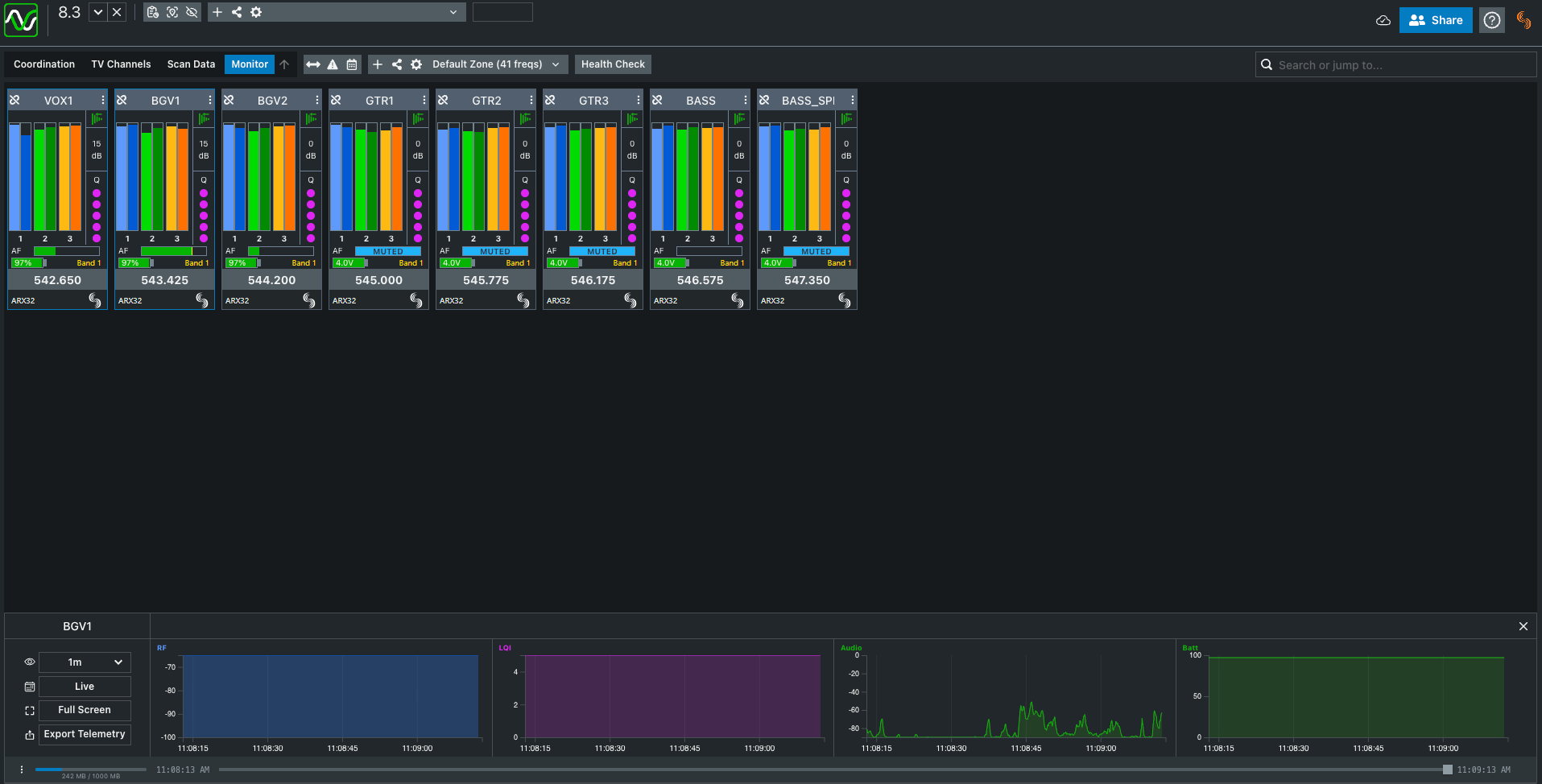
AstralComm now connects directly with SoundBase, giving engineers a simpler way to monitor and adjust Astral Wireless devices during coordination.  

With SoundBase, you can: 

  • Change frequencies 
  • Rename transmitters 
  • View Q meter, NexLink RSSI, audio metering, mute status, channel names, and frequencies 

All directly inside a coordination workspace already used for show prep, planning, and live management. It reduces menu navigation and keeps essential wireless information visible where engineers already work.
More AUX at your fingertips

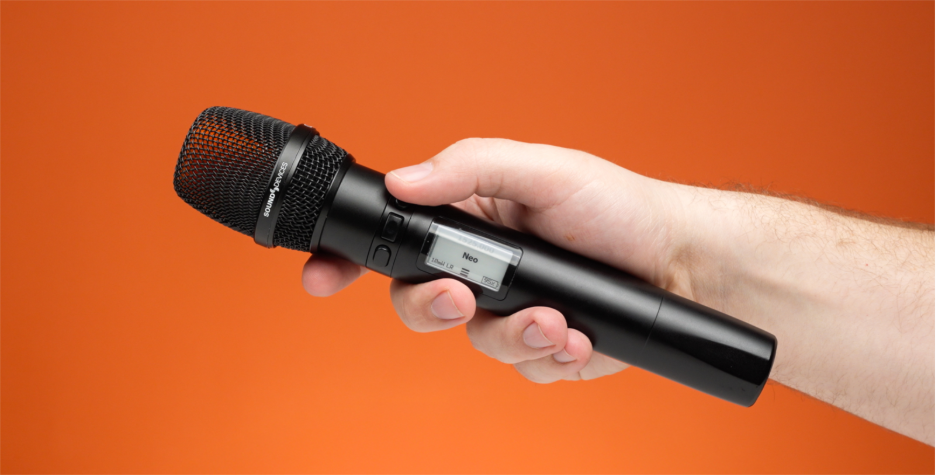
Astral v8.30 increases the number of aux output paths from one to three, allowing more flexible routing for cues, comms, or program feeds. These aux paths can be triggered directly from the transmitter — for example, an Astral HH fitted with the HH Control 3 ring. Each button can be set to latch or hold, making it easy to route audio to any of the three aux paths, or to multiple paths by pressing buttons together.
Headphone Solo Routing for ARX16 & ARX32

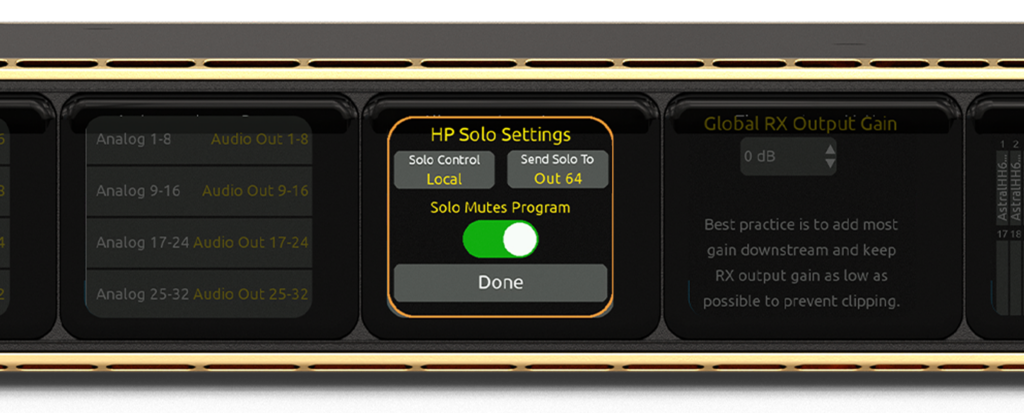
A new option for ARX16 and ARX32 lets engineers route headphone solo to other audio outputs, making it easier to integrate solo monitoring into custom workflows or remote listening setups.
Astral Wireless Manuals 

  • PDF and online manuals have been updated to reflect the changes listed above. 
  • These can be found on the product download pages. 

Products Mentioned

Astral ARX16

Learn More

Astral ARX2

Learn More

Astral ARX32

Learn More

Astral HH

Learn More

Astral Mini

Learn More

Astral Outpost

Learn More

Astral TX

Learn More

Astral ARX16

Learn More

Astral ARX2

Learn More

Astral ARX32

Learn More

Astral HH

Learn More

Astral Mini

Learn More

Astral Outpost

Learn More

Astral TX

Learn More

A10-RX

Learn More

A10-TX

Learn More

Plasa Focus Leeds

May 12, 2026 – May 13, 2026
Royal Armouries, Leeds, United Kingdom (UK)

Sound Devices will be at PLASA Focus Leeds, showcasing our latest gear at the Solotech UK stand (N‑E05).

[Event Details]

3D Film Parts – Astral A20 TX (6 Bay) Docking Station

Made By: 3D Film Parts

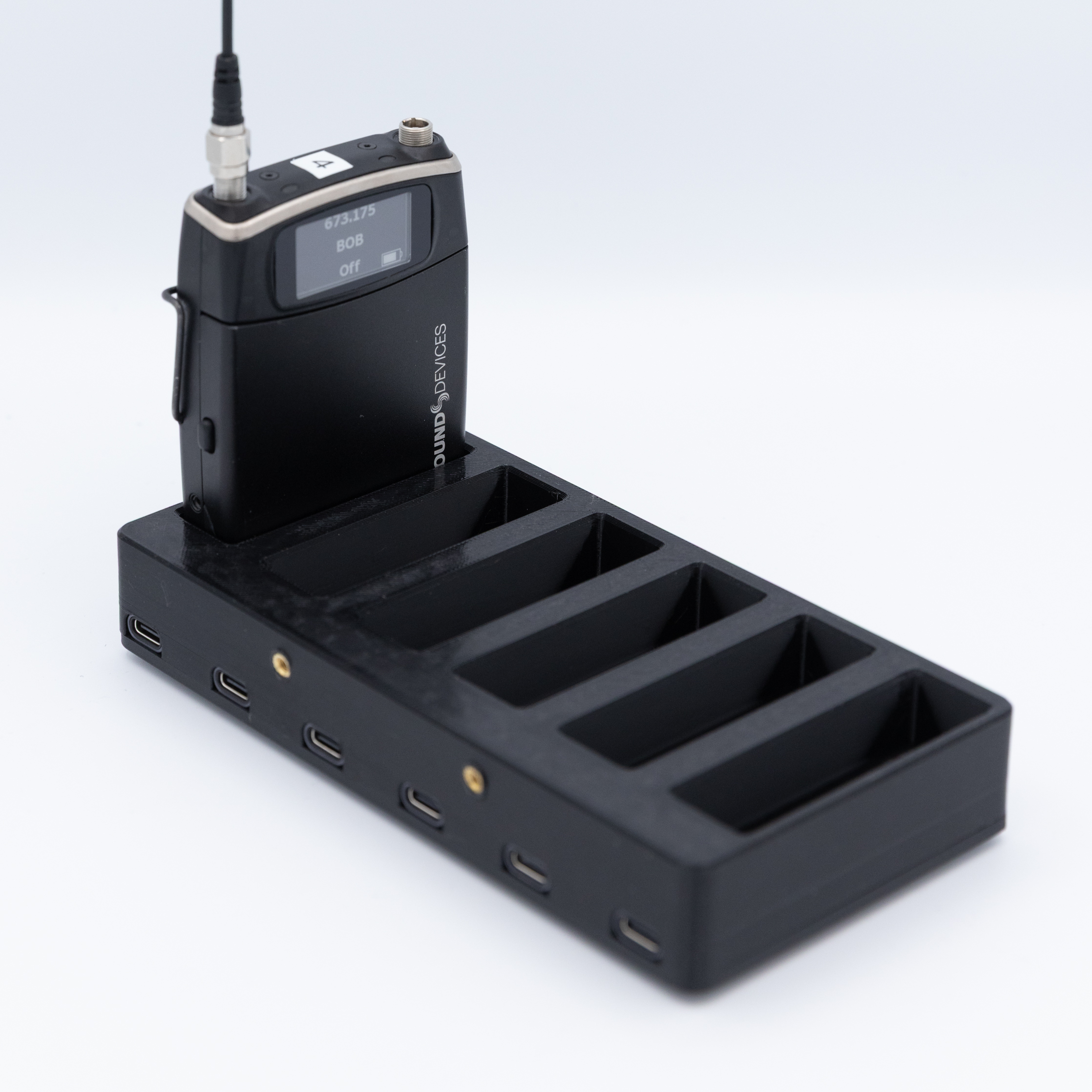
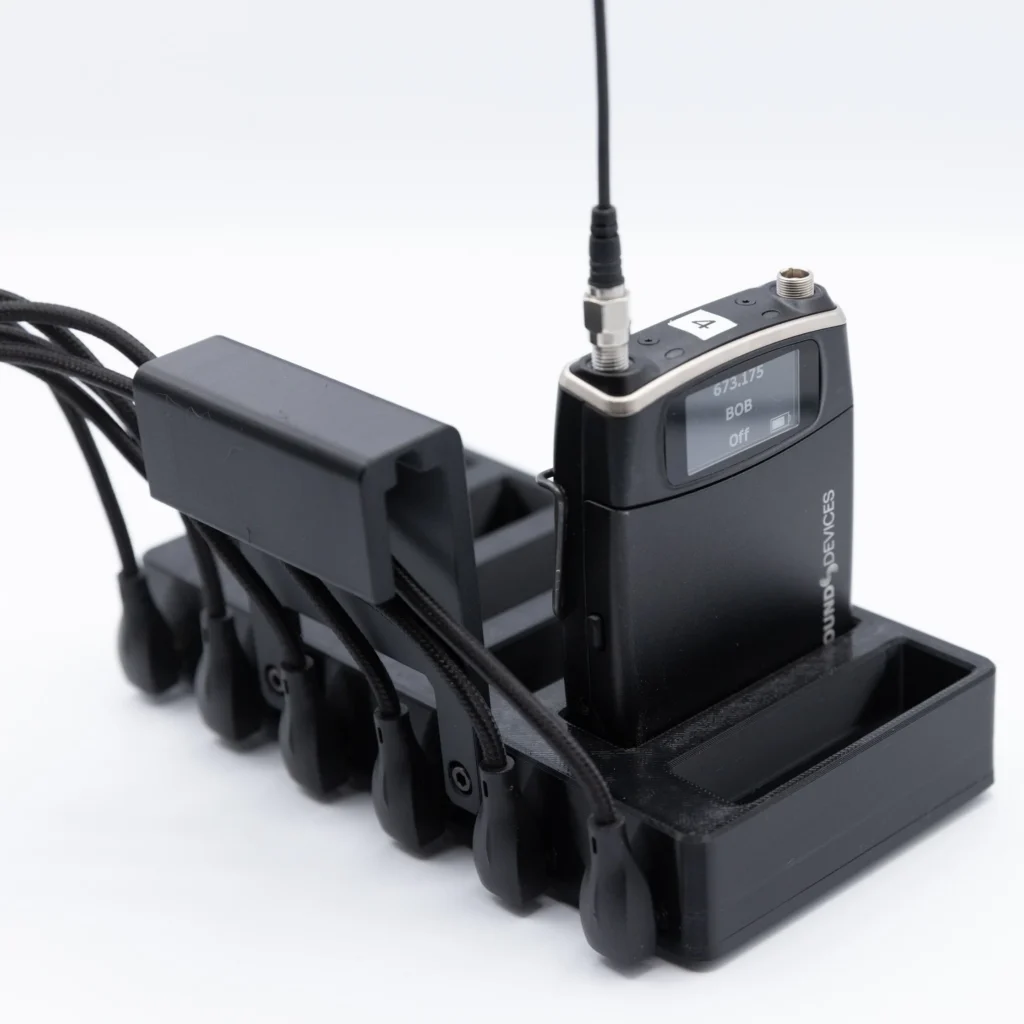
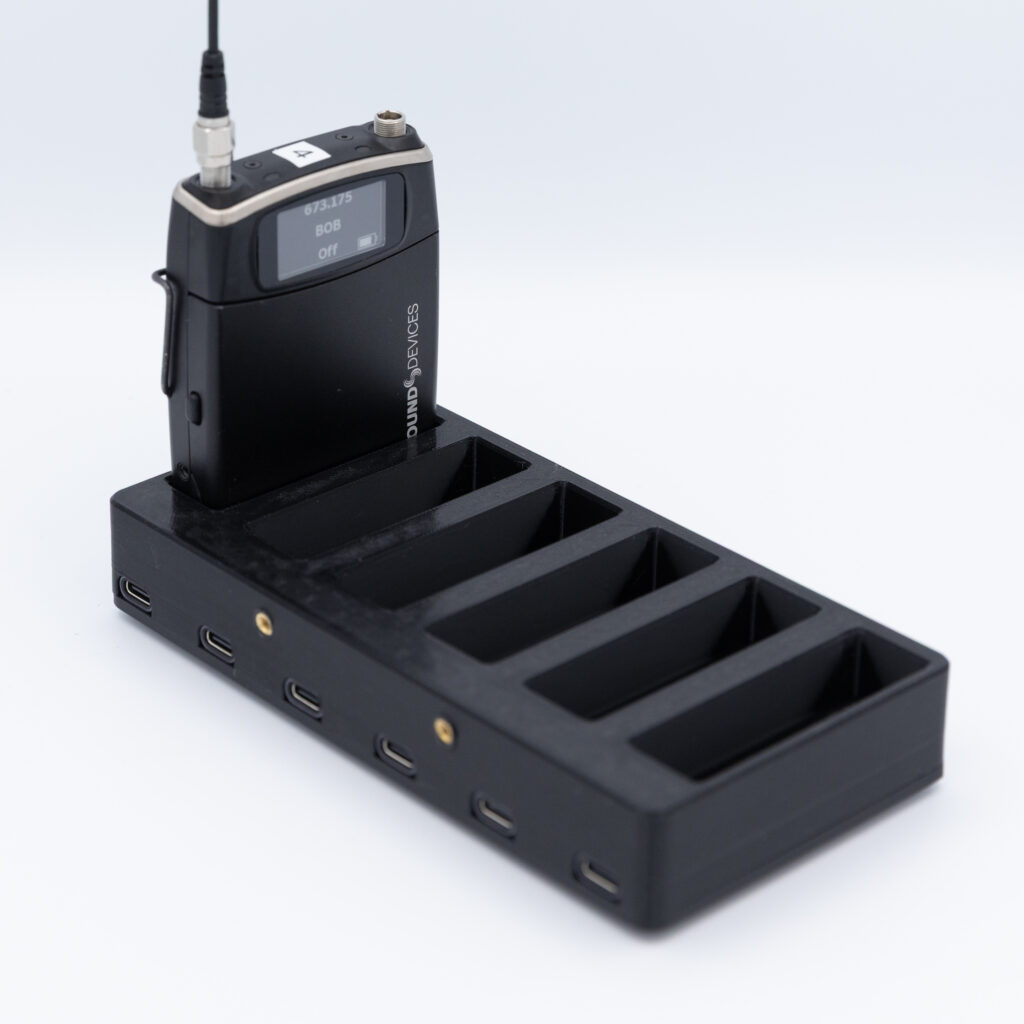
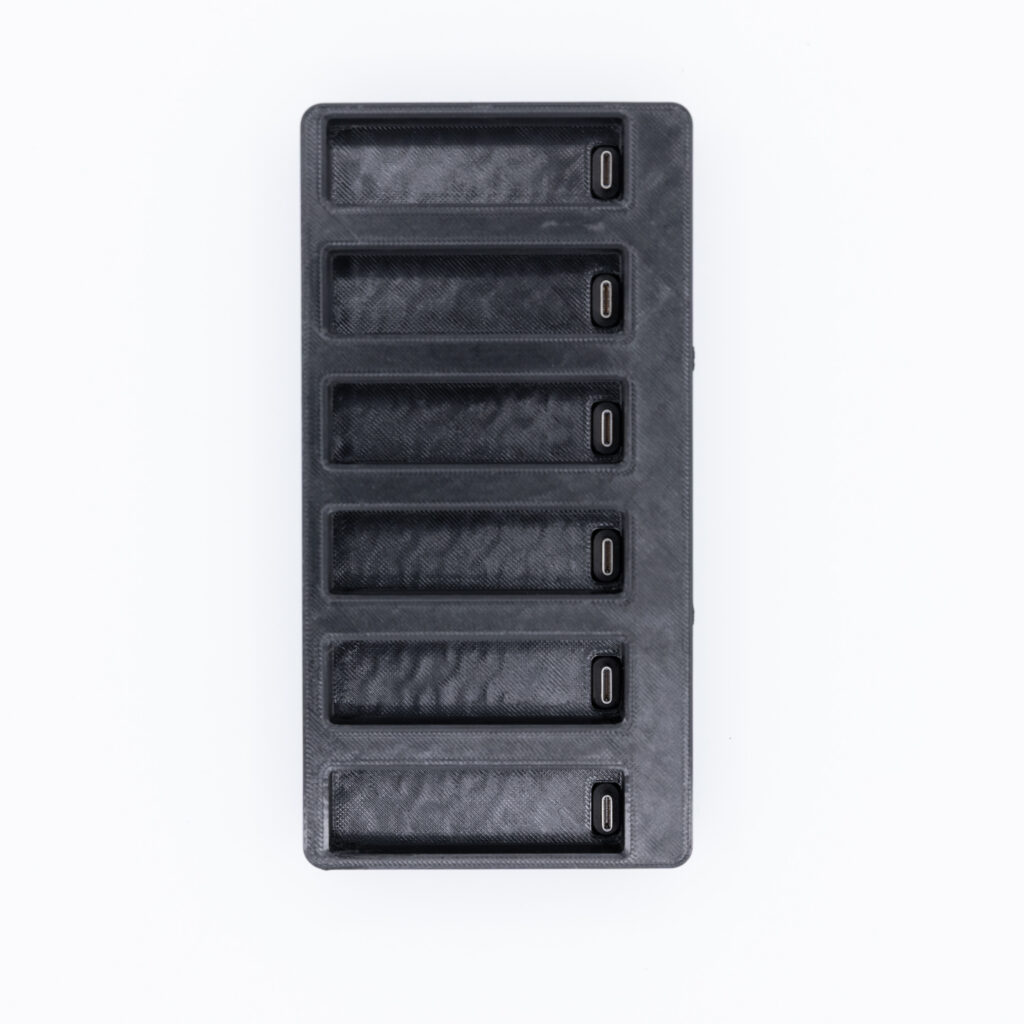
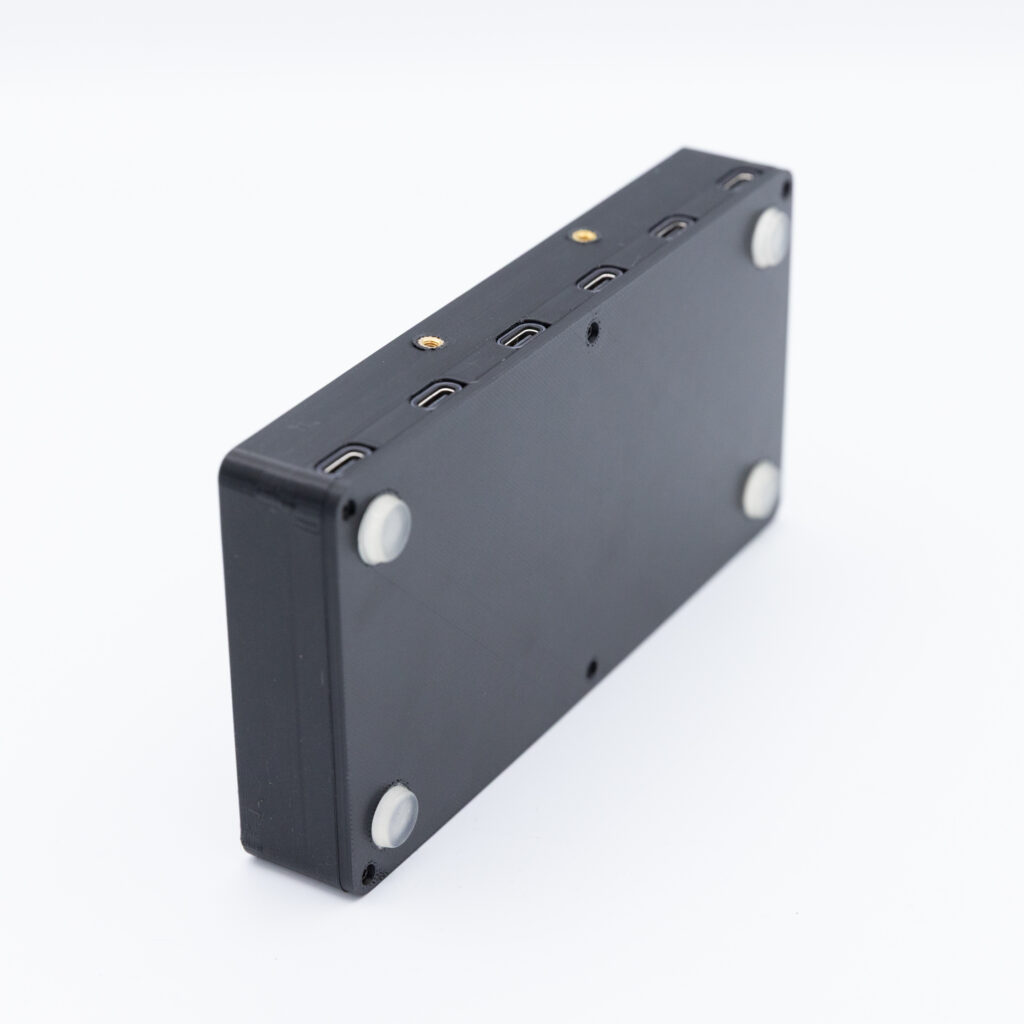
The Sound Devices Astral TX (6 Bay) Docking Station is a reliable and efficient solution designed for professionals managing multiple devices. This docking station features six bays, allowing simultaneous connectivity and charging of up to six compatible devices, making it ideal for busy production environments. Constructed with durable TPU 95A material, it ensures long-lasting performance without marking your gear. The docking station provides a streamlined workflow by offering fast data transfer and secure charging capabilities.

  • The dock is made from soft, flexible TPU 95A filament, so you never run into issues marking or damaging your TX packs.
  • USBC ports are rated for 40Gbps Data Transfer 240W Fast Charge, and can be user replaced easily.
  • Features 2 x M3 threaded holes to adapt your own custom bracket to secure the dock onto a hard case (as pictured).
  • Features 4 silicone non-slip feet

ISE 2026: Sound Devices Previews AstralComm Updates, SoundBase Integration for Flagship Wireless Range

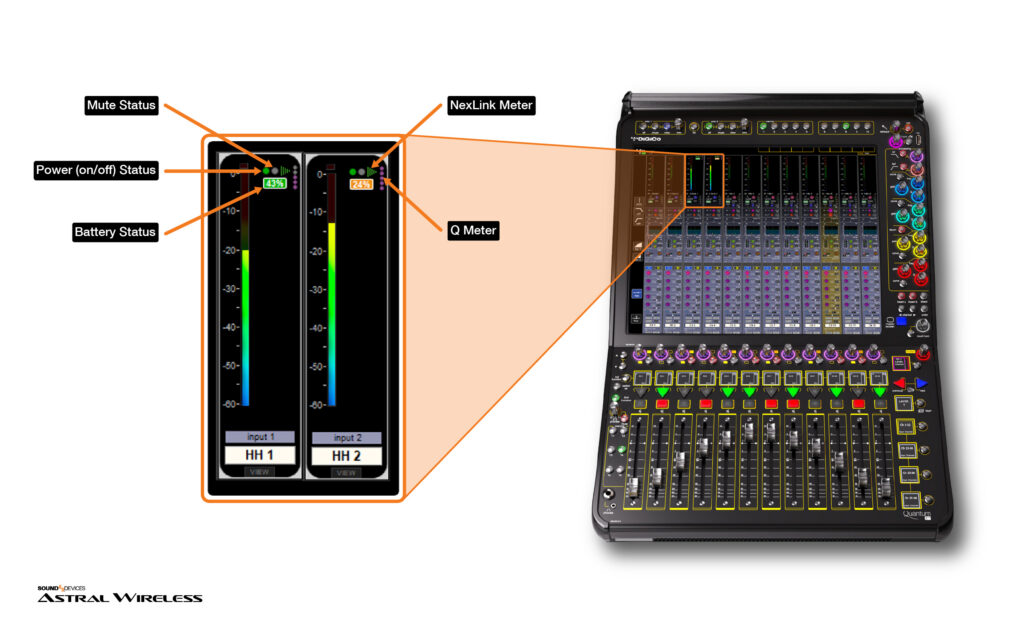
  • AstralComm from Sound Devices enables bidirectional control between Astral Wireless devices and DiGiCo Quantum consoles, so actions on stage or at the console can trigger functions across the system.
  • New: SoundBase integration extends AstralComm into RF coordination, allowing users to change frequencies, rename transmitters, and view RF and NexLink RSSI, audio metering, mute status, channel names, and frequencies directly in SoundBase.
  • Preview: Channel-strip visibility for DiGiCo Quantum will surface Astral transmitter data, including, battery, Q, mute and power state.

BARCELONA, ES, January 29, 2026 ​ — Sound Devices [ISE Hall 7 – Booth #7D150] will showcase the latest updates to AstralComm, the protocol that connects Astral Wireless, DiGiCo Quantum consoles, and RF coordination tools so engineers can shape their own workflows. By linking actions on the stage, at the console, and in software, AstralComm helps teams simplify routine tasks, add convenience for operators and artists, and keep attention on the mix instead of menus. The Sound Devices team will also be previewing AstralComm integration with SoundBase, the universal platform for professional wireless audio frequency coordination and management. 

Fluid coordination at all ends of the signal chain
​
Astral is the flagship digital wireless system from Sound Devices for professional live, location, and installed sound. It delivers high channel density, global spectrum agility, and robust remote control, so teams can scale from small shows to the largest productions with confidence. 

The comprehensive Astral feature set – including the industry-leading SpectraBand global tuning range of 169-1525MHz, proprietary NexLink® remote control technology, and GainForward™ gain-staging – addresses the greatest challenges facing RF technicians in the field and provides intuitive, flexible solutions useful for any wireless application.

AstralComm links Astral Wireless with DiGiCo Quantum consoles and coordination platforms, giving engineers creative ways to simplify operations, add convenience, and improve communication with artists. 

Sound Devices introduced the first AstralComm integration with DiGiCo Quantum consoles, establishing true two-way control between the systems. Engineers can trigger console functions from Astral transmitters or handhelds, and drive Astral actions from Quantum macros, which simplifies operations, adds convenience, and opens creative ways to enhance communication with artists. At ISE, Sound Devices is previewing channel strip visibility that brings Astral transmitter status into the Quantum channel meters including, battery, mute, Q, NexLink, and power, pending a forthcoming DiGiCo software update. In parallel, new AstralComm integration with SoundBase is now available, enabling frequency changes, transmitter naming, and live views of Q meter and NexLink RSSI, audio metering, mute status, channel names, and frequencies directly in SoundBase.

“AstralComm connects wireless, the console, and coordination tools so actions at the stage, the desk, or in software can drive the system directly. With DiGiCo Quantum and SoundBase in the loop, engineers gain practical ways to streamline shows, add convenience, and support clearer communication with artists.” said Matt Anderson, CEO of Sound Devices. 

“We look forward to sharing these developments with colleagues at ISE.”

[Show Details]

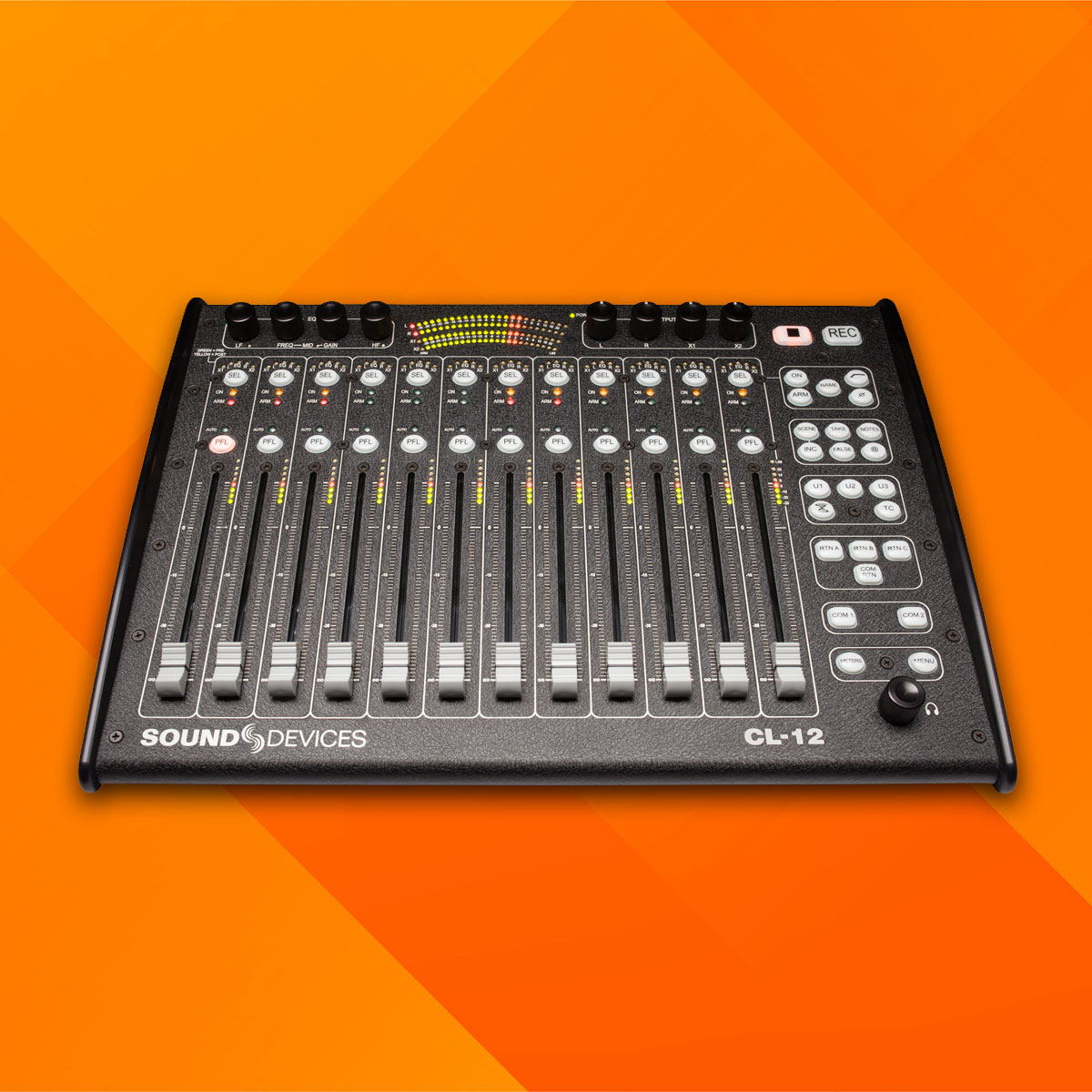
CL-12 Linear Fader Controller Update

This guide explains how to update the CL-12 hardware to prevent unwanted firmware update prompts from appearing on the 6-Series. You’ll find the required components, tools, and step-by-step instructions below. This update applies to all CL-12 linear fader controllers.

What is Required

Parts required:

  • x1 Resistor, 10k Ohm, 0402 (Part Number 3668)
  • Jumper wire (30 AWC recommended)

Tools needed:

  • Phillips #1 Screwdriver
  • 12 MM Hex Nut Driver
  • 1/6″ Hex Key (Alaia panels only)
  • Solder Iron

Disclaimer
To the fullest extent permitted by law, Sound Devices disclaims any liability for damages, injuries, or losses arising out of or related to any unauthorized repairs, use of unauthorized parts, or failure to follow the prescribed repair instructions, specifications, or procedures set forth herein.

Update Instructions

Step 1

Use a Phillips #1 screwdriver to remove the 18 screws that secure the two side panels to the chassis. Figure 1 shows the location of the screws for one (right) side panel.
NOTE: A 1/16” Hex key is needed if removing Alaia side panels

Figure 1

Step 2

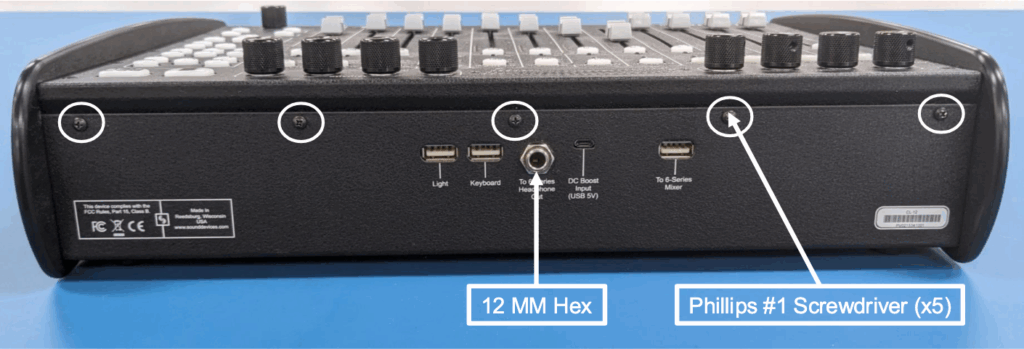
Using a 12 MM Hex nut driver, remove the nut from the 6-Series headphone jack. See Figure 2 for the location of the jack

Step 3

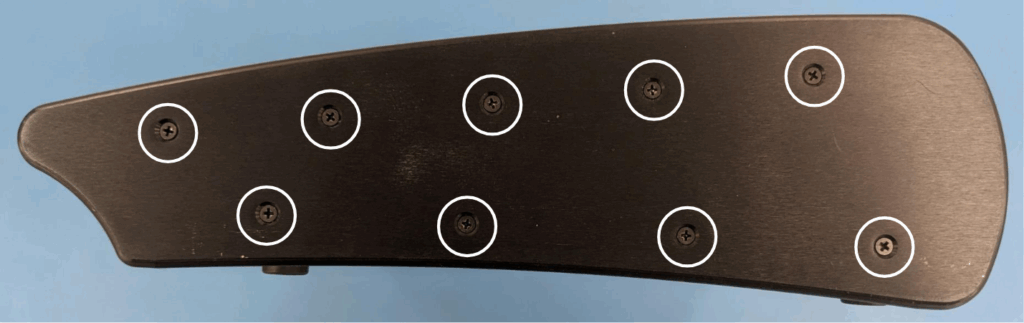
Remove 5 screws on the back panel using a Phillips #1 screwdriver. The screws are circled in Figure 2.

Figure 2

Step 4

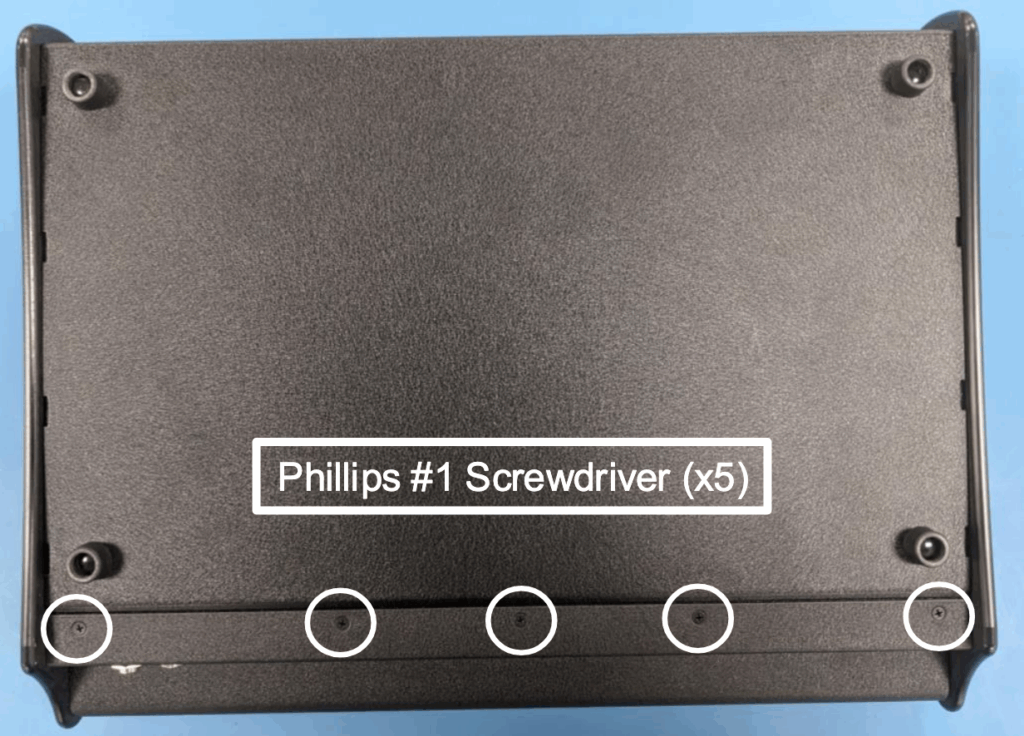
Remove 5 screws on the bottom panel using a Phillips #1 screwdriver. Refer to Figure 3 for the location of the screws.

Figure 3

Step 5

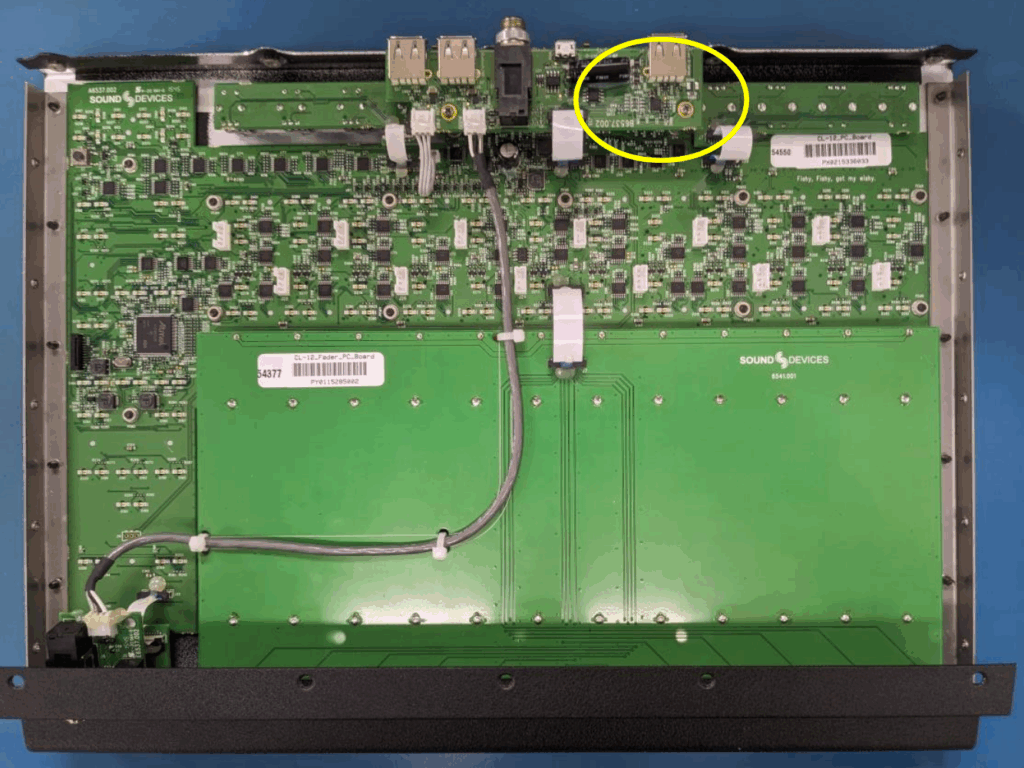
Carefully remove the bottom panel and locate the UART interface IC. The IC is circled in Figure 4.

Figure 4

Step 6

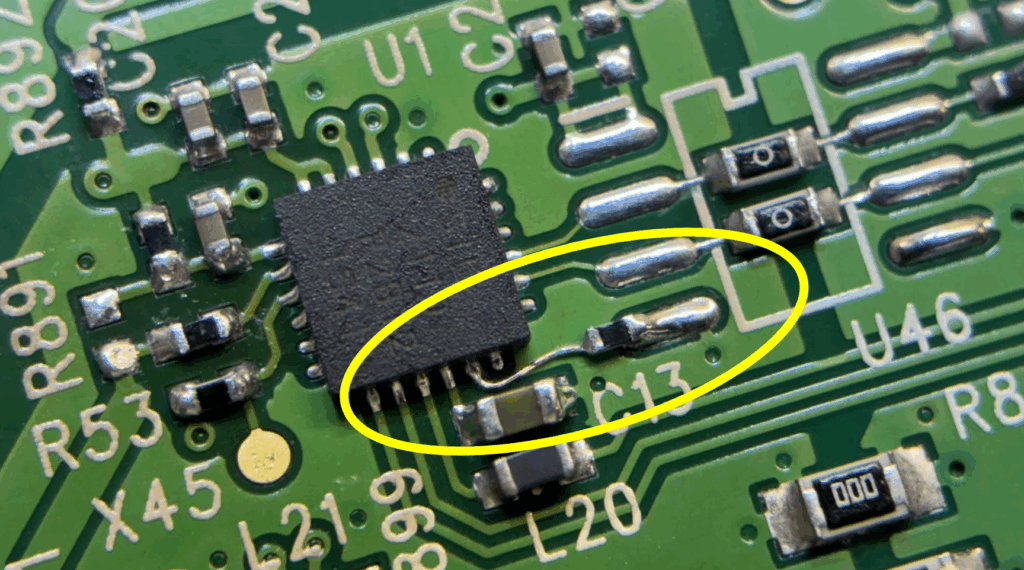
Solder a jumper wire and 10k pulldown resistor (P/N 3668) in series between pin 17 of the UART interface IC (U1) and the pads of U46 (pin 4), as shown in figure 5.

Figure 5

Step 8

Review solder and clean any excess flux.

Step 9

Reassemble CL-12

Products Mentioned

CL-12

Learn More
>